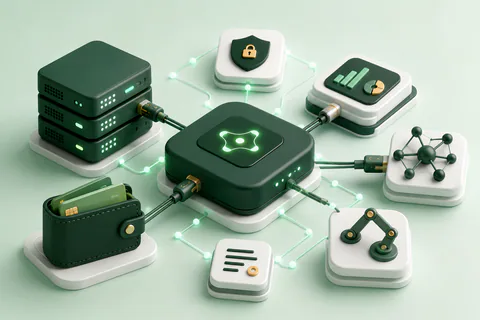
You do not need a separate chat habit to review your spending. Money Copilot AI can connect focused personal finance tools to compatible AI clients, letting you record expenses and request summaries from an assistant such as ChatGPT or Claude.
How the Money Copilot AI connection works
The connection uses the Model Context Protocol (MCP). Instead of asking a general language model to invent or remember financial details, the assistant calls a specific tool for a specific job—such as adding an expense, reading a budget, or generating a spending report.
This separation matters. Your AI client handles the conversation, while Money Copilot AI provides the structured money functions. Read the MCP server feature overview for the current set of supported capabilities.
Connect ChatGPT or Claude
- Create your account. Sign in to Money Copilot AI so the tools can work with your expense records.
- Choose your AI client. Use the setup path that matches ChatGPT or Claude.
- Add the MCP connection. Follow the endpoint and authorization steps in the connection guide.
- Test one read-only question. Ask for a recent summary before adding or changing data.
The exact setup can change as AI clients update their MCP interfaces, so use the current ChatGPT and Claude setup guide rather than relying on an old screenshot.
Useful expense questions to ask
For everyday personal expense management
- What are my top spending categories this month?
- How much did I spend during the last seven days?
- Show the expenses recorded under transportation.
- Which recurring costs appear in my recent history?
For budgeting
- How much remains in my overall budget?
- Which category is closest to its target?
- Compare this month’s recorded spending with last month.
Results depend on the records in your account. Review important totals, dates, and categories before making a financial decision.
Keep privacy and control in the workflow
A useful AI-powered personal assistant should make its data source clear. Money Copilot AI does not require a bank connection; you choose the expenses to add. Authorization limits access to your account, and you can review the product’s data practices in the privacy policy.
Do not place account passwords, card numbers, or other credentials in a chat message. Record only the spending details needed for your personal expense management workflow.
Build a repeatable weekly review
Choose one assistant and one review schedule. Record expenses as they happen, then ask the same three or four questions every week. Consistency makes changes easier to spot and reduces the temptation to overreact to one purchase.
Ready to connect? Create a free Money Copilot AI account, then follow the connection instructions for your preferred assistant.